Technical documentation for developers
With the Cyql API, you can securely allow external applications to communicate with Cyql. Think of integrations with a website, dashboard, or other systems.
Using an API key, an external application gains access to data within your club, depending on the available endpoints and the limits of your subscription.
For the technical documentation and available endpoints:
https://api.cyql.app/api/docs/
In this article:
- What is an API key?
- Who can manage API keys?
- Creating a new API key
- Copying an API key
- Understanding API limits
- Editing or deleting an API key
- Important security tips
What is an API key?
An API key is a secure access code that allows an external application to connect to Cyql. For example, a club can use an API key to display rides or club data on an external website. Always treat an API key like a password. Anyone with access to the key may be able to retrieve your club’s data.
Who can manage API keys?
API keys can be managed by users who have access to the club dashboard and the appropriate permissions within the club settings.
Creating a new API key
Step 1
Open the Cyql dashboard.
Step 2
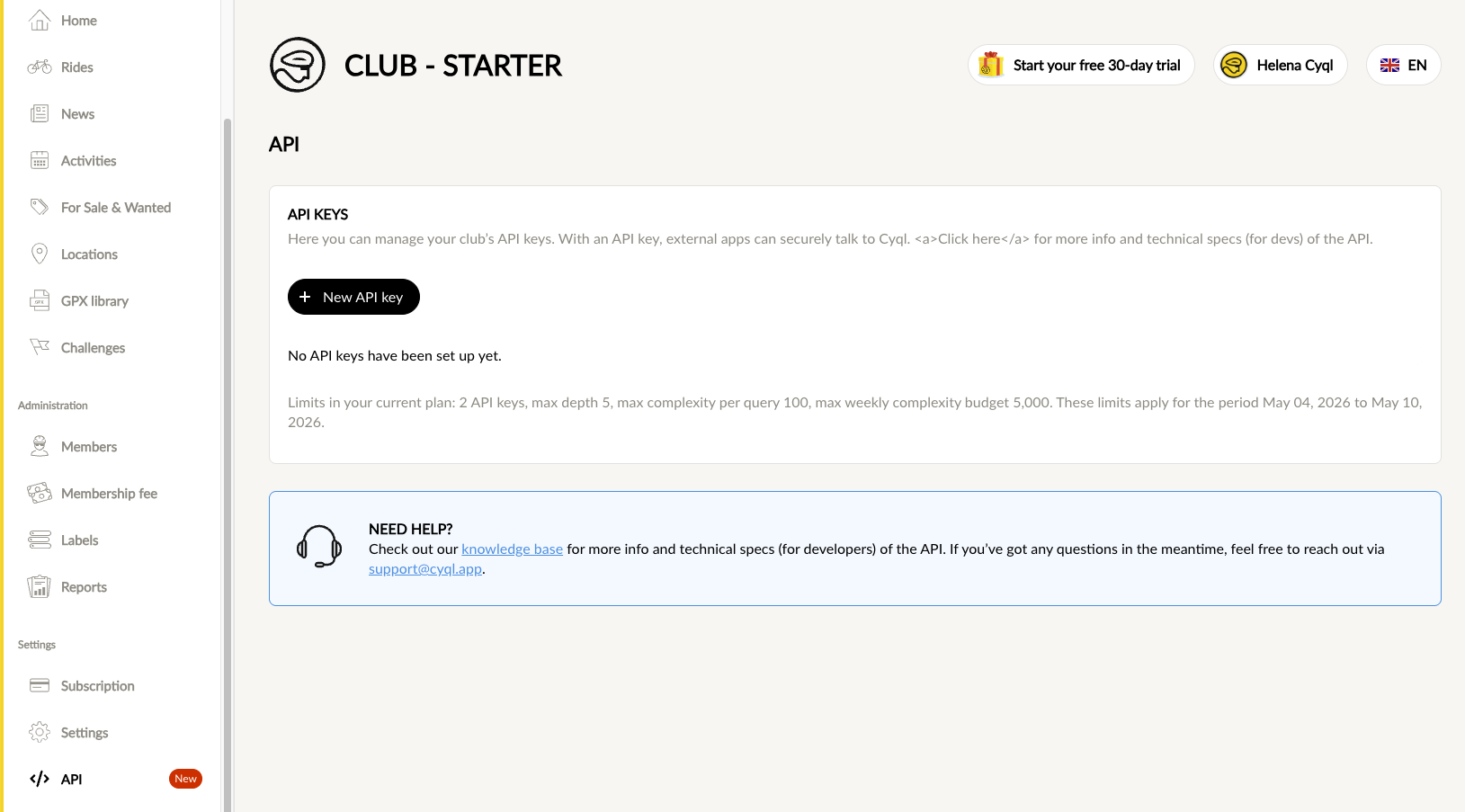
In the left menu, go to Settings and click on API.
Step 3
Click the New API key button.
Step 4
Give the API key a clear name.
For example:
- Website integration
- Club website API
- External dashboard
- Mobile app integration
Choose a name that clearly indicates what the key will be used for later.
Step 5
Set the maximum complexity.
The complexity determines how much “weight” of API requests this key is allowed to use. The higher the value, the heavier the queries can be and the more capacity is consumed.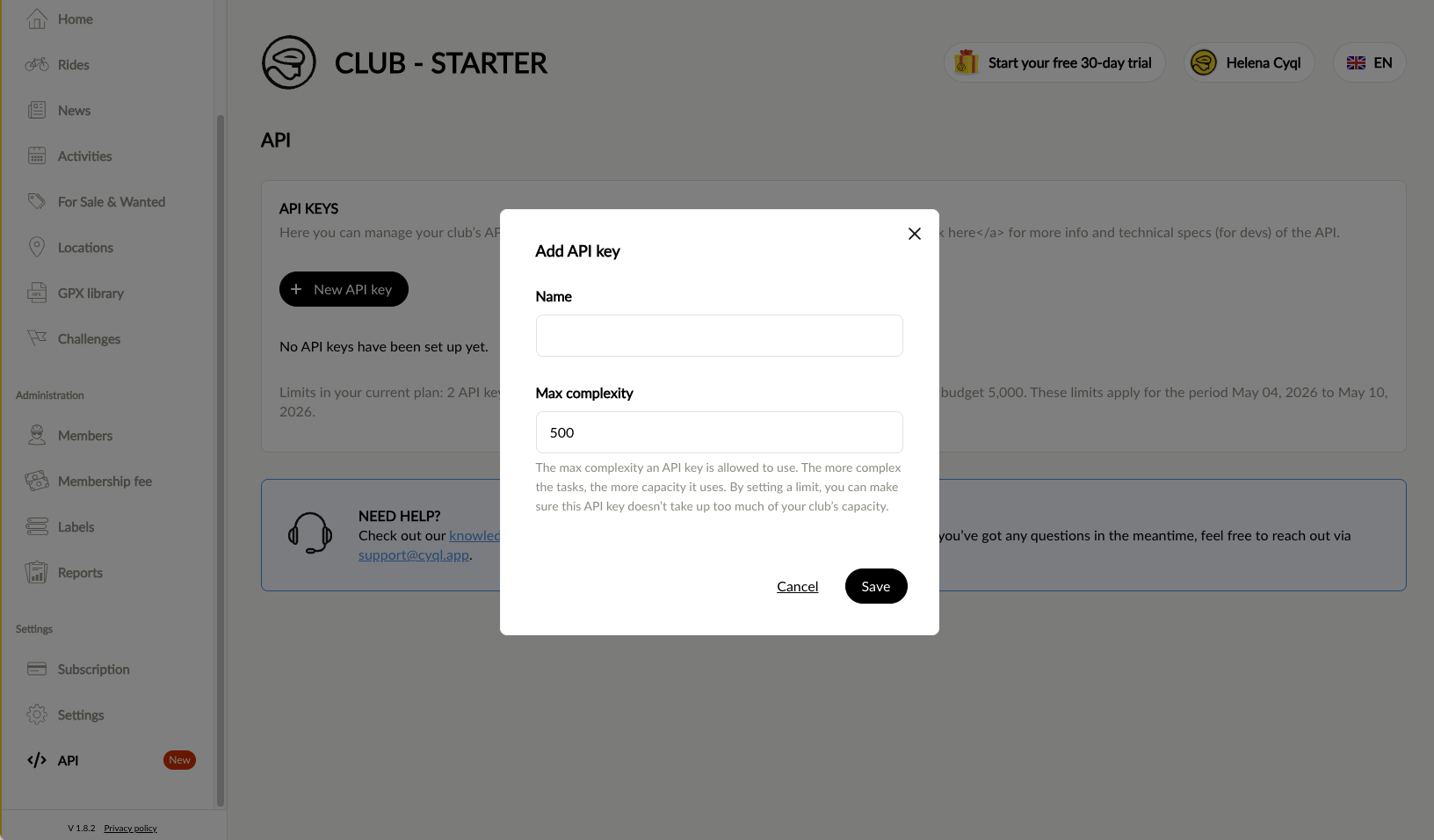
Step 6
Click Save.
The API key will now be created.
Copying an API key
After creating the key, a window will appear with the API key details. Click the copy button to copy the key (hidden in the screenshot)
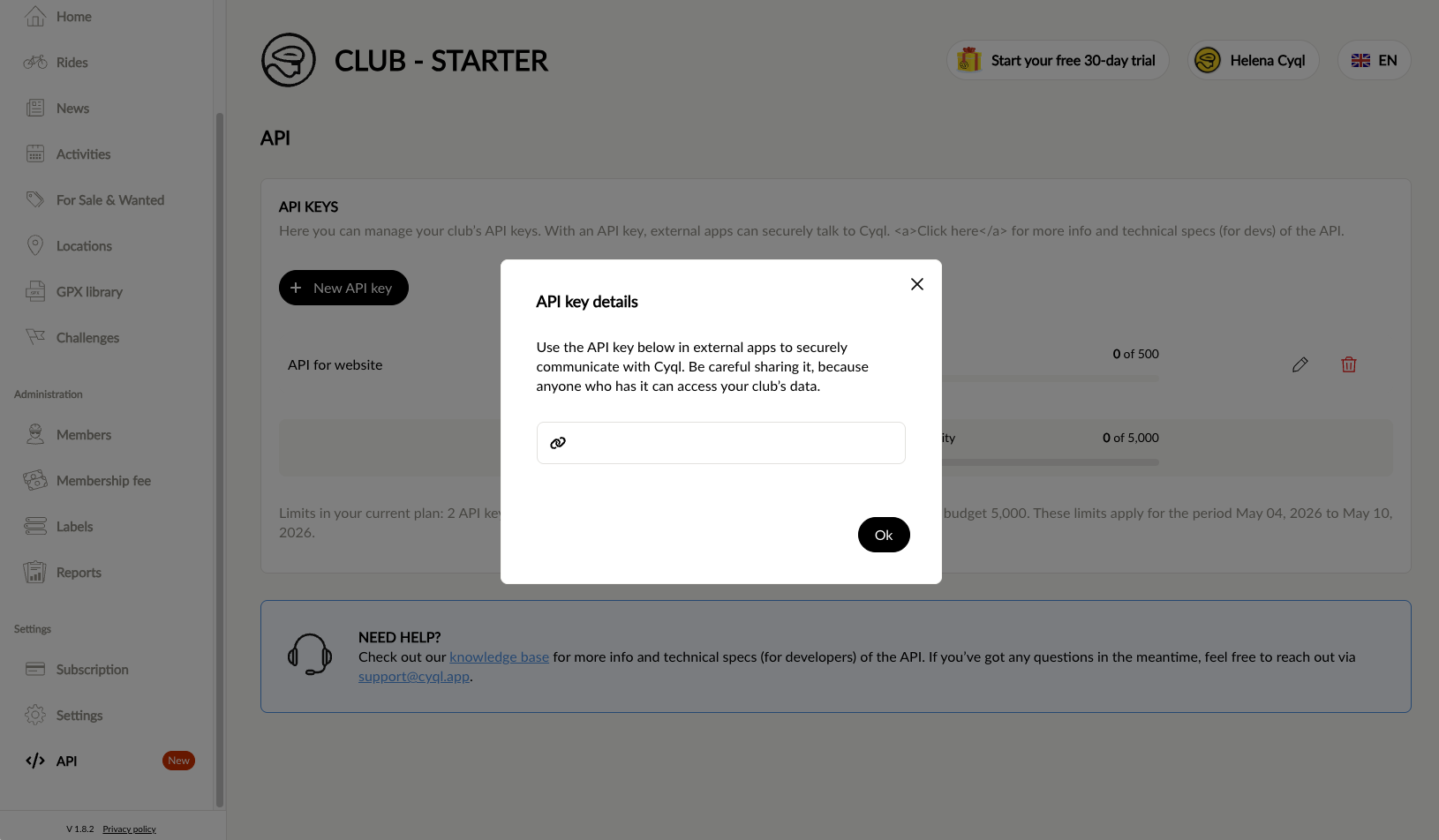
Use this key in your external application to connect to Cyql. Note: never place the API key in public code (such as frontend JavaScript) where visitors can see it.
Understanding API limits
The capabilities of the API depend on your club’s subscription. This includes:
- Number of API keys
- Maximum depth
- Maximum complexity per request
- Weekly complexity
On the API page, you can see the usage and limits per key.
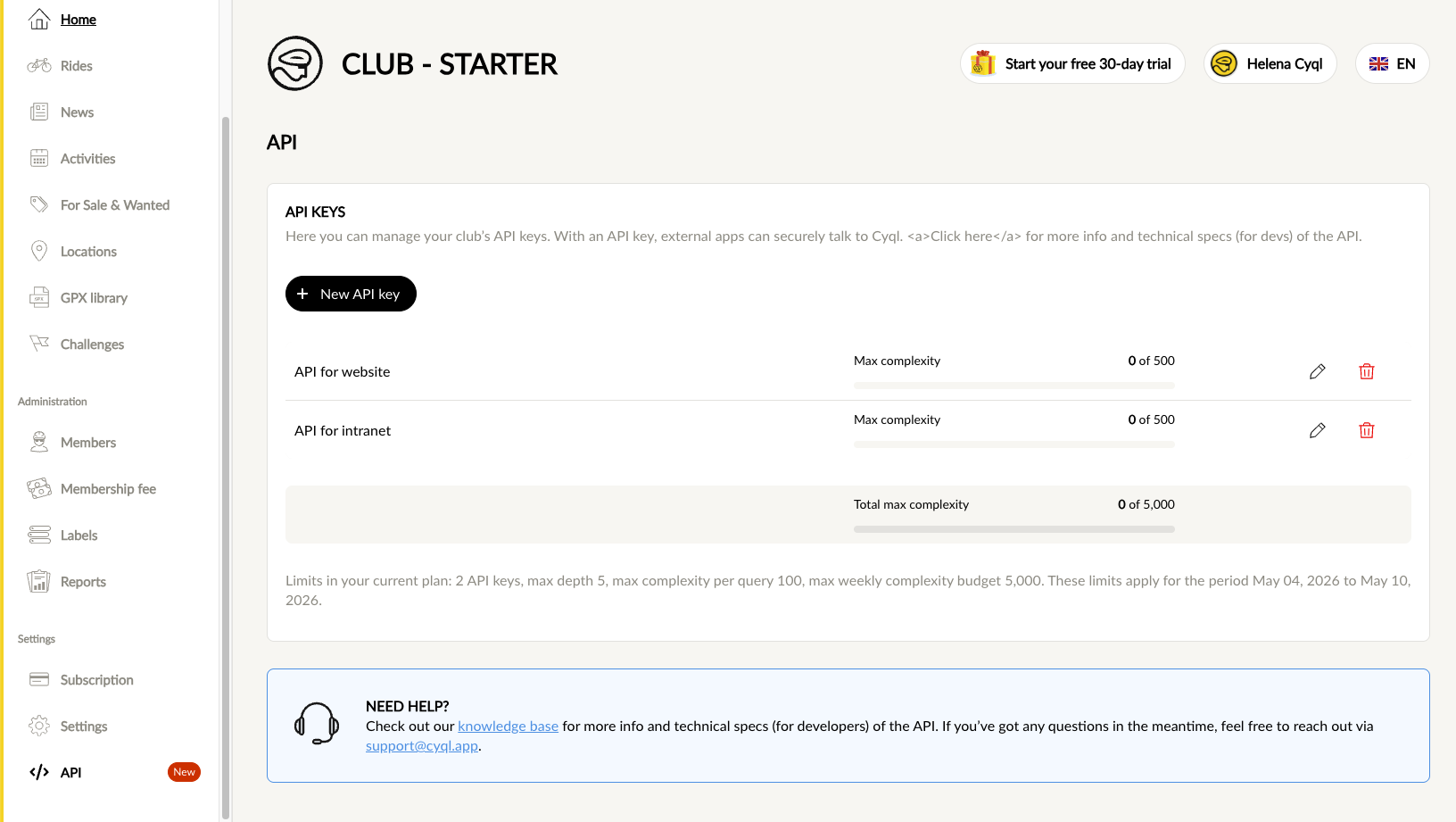
When an external application makes requests, usage increases within these limits.
Editing or deleting an API key
On the API page, you will see action buttons for each API key.
- Use the edit icon to change the name or complexity
- Use the delete icon to remove the key
After deletion, the API key will stop working immediately and connected applications will lose access.
Important security tips
Handle API keys with care.
Do not:
- Share API keys without control
- Place keys in public repositories
- Use one key for multiple integrations
- Keep unused keys active
Do:
- Use clear naming
- Delete unused keys
- Create a separate key per integration
- Store keys securely in your backend
API documentation
Full technical documentation is available for developers via:
Was this article helpful?
That’s Great!
Thank you for your feedback
Sorry! We couldn't be helpful
Thank you for your feedback
Feedback sent
We appreciate your effort and will try to fix the article